The Switch belonged to a friend, and I was not entirely sure what had been done to it before. I could get into Hekate, but trying to boot the console gave me a black screen. That happened with both CFW and stock. During one attempt, I got CAL0 is corrupt or wrong keys.
My first question was whether I could reinstall the complete firmware. At that point I had only made a few dumps through Hekate; I did not yet have a NAND backup. I worked on it on November 2 and 3, moving the microSD back and forth between the PC and the console.
I did this with help from Codex. I tested on the Switch and passed back the results while the assistant prepared scripts and reviewed code. Some of its suggestions worked well; others needed correcting along the way.
I have put the offsets, diagrams, and byte comparisons in the technical companion: inside the NAND.
I backed up the NAND before going further
One of my first requests was to back up the backup. I did not want to modify my only copy while still trying to understand why it would not boot.
I saved the complete RAWNAND and its fifteen parts, BOOT0, BOOT1, and the keys extracted from this Switch. The image was 31,268,536,320 bytes; each BOOT image was 4 MiB. I then made a second copy of the recovery inputs. The copies were read back and their SHA-256 hashes matched.
The first script for examining the emuMMC stopped with Unaligned physical read. Its physical reads needed fixing before I could trust the results. Once that was corrected, the result was still bad: neither CAL0 nor the expected FAT beginnings of the examined partitions validated with the available keys.
The fuses did not match the firmware
Before changing versions, I asked to check the eFuses. The console had 24 burnt anti-downgrade fuses, but package1 in its BOOT0 carried build date 20240207110330: it belonged to the 18.0.0–18.1.0 family.
Switchbrew’s table lists 19 expected fuses for that family. The 24 fuses matched 23.0.0–23.0.1. I also checked the date against the package1 history. There was a mismatch, so preparing 23.0.1 made sense.
But CFW would not boot either, and that path could bypass the fuse check. I still needed to explain why the partitions would not decrypt.
I extracted the keys again
I repeated extraction through direct RCM to compare it with the path through the chip. The extracted keys were consistent with those derived for the current hardware. Even so, they did not produce the expected structures in PRODINFO, SAFE, SYSTEM, or USER from the original NAND.
The image was not completely unreadable: the GPT had valid CRCs, and the examined package2 images passed their checks.
I looked at the old emuMMC for anything useful. BOOT0 and BOOT1 matched the internal copies, as did the first encrypted excerpts I compared. I did not compare the whole emuMMC, but those excerpts did not contain a different copy to fall back on.
I also searched backups I had kept from other repairs. Some decrypted with their own keys, which helped check that the reading procedure worked. None recovered this Switch’s original data. I did find a valid donor PRODINFO.
What had happened before remained unclear. I could not establish whether the NAND image belonged to another console or its data had been damaged.
I prepared another emuMMC
With Codex, I reviewed NANDFixPro, HATS-Tools, and the HATS installer. I wanted to know what each one would write before giving it a NAND image.
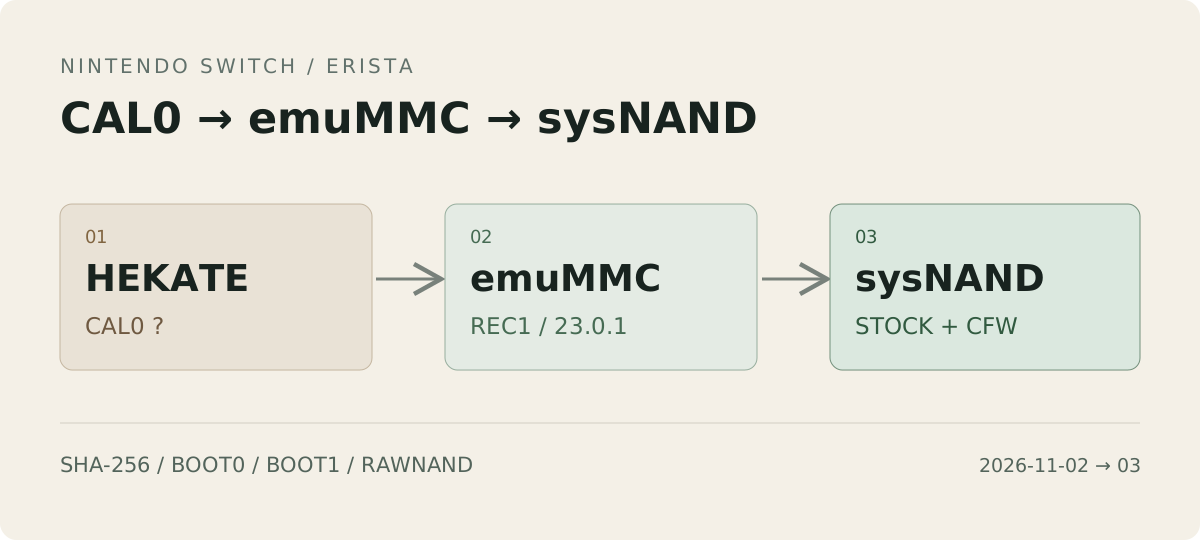
I used NANDFixPro’s clean partition templates. Reconstruction took place on the PC, without using its GUI to write directly to the eMMC. EmmcHaccGen 3.2.1 generated the firmware components.
The 23.0.1 package contained 238 NCAs. I checked their hashes against their content identifiers, their headers, and the version content. I did not verify Nintendo’s signatures.
I prepared clean PRODINFOF, SAFE, SYSTEM, and USER partitions and assembled the new image using this console’s BIS keys. EmmcHaccGen’s BOOT outputs were partial images: they had to be incorporated into complete 4 MiB images, retaining the required regions of the original dumps. The encryption tools respected 16 KiB XTS units; the partitions were decrypted again afterwards and compared with the material prepared on the PC.
Without the original CAL0, I started with the donor. That exposed the first mistake in the approach: a PRODINFO valid on its original console was not automatically ready for the hardware I was trying to boot.
I named the new file-based emuMMC REC1 and left the old RAW1 in place. Testing used Hekate 6.5.4 and Atmosphère 1.12.1. Internal storage would stay untouched until I had something working from the SD card.
Three errors before reaching the menu
The new image started producing specific errors instead of leaving me with a black screen. This was the sequence:
| Error | Process | What needed checking |
|---|---|---|
2026-0002 | es | Internal identifiers in the donor’s RSA packets |
2162-0002 | account | The idgen context, which had not been created |
2105-0584 | am / Settings | The identifier in the eTicket certificate |
First, the RSA packets
The es failure involved an argument rejected by the secure monitor. The extended eTicket and SSL packets contained valid cryptographic material, but their internal device identifiers belonged to the donor.
Those identifiers were adapted to the current hardware while retaining the RSA material and rebuilding the affected authentication and integrity checks. The original ranges were backed up first, and PRODINFO was read back in full afterwards.
On the next attempt, es was no longer stopping the boot. Now it was account.
Then, a 48-byte file
The log led to idgen:/context.bin, inside system save 8000000000000011. It was a 48-byte file that did not exist yet. Its format is described by Nintendo File Formats.
To create it, the routine requested network-interface information. During that boot, enumeration did not return a usable interface, and the process aborted. I considered testing over Ethernet, but my dock had no port and that test never happened.
The routine from that exact firmware binary was examined and emulated with Unicorn. Without the context, the emulation reproduced the abort. With the context initialized, it avoided that call and produced different identifiers on successive calls. The clock-source-change path was also checked.
The edit was made in a copy of the empty save created by the console, using a small LibHac-based program. Its integrity and MACs were checked before the modified encrypted blocks were applied in SYSTEM. The account executable stayed unchanged.
I was able to connect the Switch over Wi-Fi later. The failed enumeration had not been enough to establish a faulty chip.
Finally, the ticket certificate
The next attempt ended in 2105-0584. This failure came from a Settings call reading the device identifier from the RSA eTicket certificate and comparing it with the hardware identifier.
A string of 16 hexadecimal characters still referred to the donor. Emulating the routine returned the same error; adapting the field made it return success. The field, record CRC, and CAL0 hash were updated after saving the bytes being replaced.
I later found a precedent that would have been useful to read sooner. prodinfo_gen 1.1.0 had already explained in 2022 that Horizon had switched to checking the identifier in Rsa2048ETicketCertificate. Issue 24 records testing of that correction. I had spent time on an incomplete adaptation that the project already accounted for.
Changing the field satisfied the local comparison. Modifying the certificate still invalidated its issuer signature; recalculating its CRC did not fix that. My console’s original identity remained unrecovered.
It finally booted
“It has booted all the way” was the message I sent when it finally reached HOME. Then I configured Wi-Fi and ran the connection test. It crashed again.
The new error was 2123-0011, in nim. The log indicated an SSL I/O error. The recovery entry used cal0blank=1, so that path needed examining without assuming a hardware failure.
A DNS.mitm file specific to REC1 was added, redirecting Nintendo domains to 127.0.0.1. The log confirmed that Atmosphère loaded it. When I tested again, the console stopped crashing. File selection and logging are covered in Atmosphère’s documentation.
I added sys-patch later. Its adjustments include a nim crash fix associated with SSL certificates that are not intact, according to its documentation. The log confirmed it was applied on 23.0.1. The DNS block had already avoided the crash before I installed the module; these were separate stages of the repair.
I tried a game, then shut it down again
From HATS, I added DBI, Goldleaf, JKSV, and sys-patch. I also asked to include CyberFoil. The package’s published hash was checked, and the sys-patch module was compared with its upstream distribution.
I did not replace my configuration with the pack’s: its installer can delete or replace entire directories, and I already had a recovery entry and a DNS block I wanted to keep.
I installed Pokémon LeafGreen, roughly 33 MB. It installed and ran without problems. I then shut the console down completely and turned it on again. It booted too.
At that point I started considering moving the reconstruction to internal storage.
I had to update the backup before restoring
The image on my PC was already behind the console. It did not include everything Horizon had created during boot or the state after the game installation.
I also did not have room for another complete 31 GB image on the PC. I kept the base and saved a file containing the changed blocks: 127 blocks of 1 MiB, around 133 MB including headers. To check that this was a usable backup, the complete RAWNAND stream was reconstructed by reading both pieces. Its SHA-256 matched REC1. I also saved BOOT0, BOOT1, configuration files, and the game’s Nintendo data.
That backup depends on keeping the base and the differences together. I protected both against writes.
Comparing the BOOT images revealed a 33-byte difference in the NAND Patrol area starting at 0x184000: its HMAC and position field had changed; the count stayed at 3. The BCTs, firmware, and keyblobs were unchanged, as was BOOT1. I checked the BOOT0 format description before continuing.
Preparing the restore files on the SD card took some work too. The reader returned a Windows write error; the file had to be reopened, a retry verified, and the copy resumed after checking what was already there. All fifteen parts were read back in full and their hashes compared. The copy was not marked ready until that check passed.
I prepared a new entry named CFW SYS RECUPERADA, with emuMMC disabled. I added the block in hosts/sysmmc.txt, enabled sys-patch for sysMMC and full Hekate verification, and copied the game to the SD card’s root Nintendo directory while preserving the NCA directory attributes.
Finally, I restored BOOT0, BOOT1, and RAW GPP through Hekate using this procedure. REC1 stayed on the card in case I needed it again.
Stock booted too
Codex’s plan assumed I would continue needing Atmosphère. I tried CFW SYS RECUPERADA, which worked, but I also wanted to try Stock (sysMMC). It booted. The connection test even completed successfully.
I confirmed in the chat that I had tried both entries. The sys-patch log showed is_emummc=0, and the DNS.mitm log loaded hosts/sysmmc.txt under CFW. Codex had got ahead of the tests: when it told me I would keep needing Atmosphère, I had not tried stock on the new NAND yet.
So far I have tested the game and a complete shutdown and restart in REC1, plus stock and CFW boot on the restored sysNAND. I booted stock through Hekate; I have not tested doing without the SD card or chip.
Atmosphère’s DNS block does not operate in stock either. The connection test passed, but I have not tested Nintendo accounts or eShop, and I still have not recovered the original identity. prodinfo_gen also separates boot recovery from online capabilities.
After those tests, I removed the temporary restore copies and got roughly 31 GB of card space back. I kept the tested emuMMC, the reconstruction backed up on the PC, and the original dumps. The Switch boots again. I still do not know what happened to the original NAND.